Videos stay on your computerNo credit card to startMany posts from one clipFinish full videosSchedule your postsUnique versions, fastVideos stay on your computerNo credit card to startMany posts from one clipFinish full videosSchedule your postsUnique versions, fastFree ProVideos stay on your computerNo credit card to startMany posts from one clipFinish full videosSchedule your postsUnique versions, fast
Videos stay on your computerNo credit card to startMany posts from one clipFinish full videosSchedule your postsUnique versions, fastVideos stay on your computerNo credit card to startMany posts from one clipFinish full videosSchedule your postsUnique versions, fastFree ProVideos stay on your computerNo credit card to startMany posts from one clipFinish full videosSchedule your postsUnique versions, fast
Videos stay on your computerNo credit card to startMany posts from one clipFinish full videosSchedule your postsUnique versions, fastVideos stay on your computerNo credit card to startMany posts from one clipFinish full videosSchedule your postsUnique versions, fastFree ProVideos stay on your computerNo credit card to startMany posts from one clipFinish full videosSchedule your postsUnique versions, fast
Videos stay on your computerNo credit card to startMany posts from one clipFinish full videosSchedule your postsUnique versions, fastVideos stay on your computerNo credit card to startMany posts from one clipFinish full videosSchedule your postsUnique versions, fastFree ProVideos stay on your computerNo credit card to startMany posts from one clipFinish full videosSchedule your postsUnique versions, fast
How it works
Three steps. Then you post.
Start with footage you already have. Make unique versions. Finish full videos and ship.
01
Make new versions
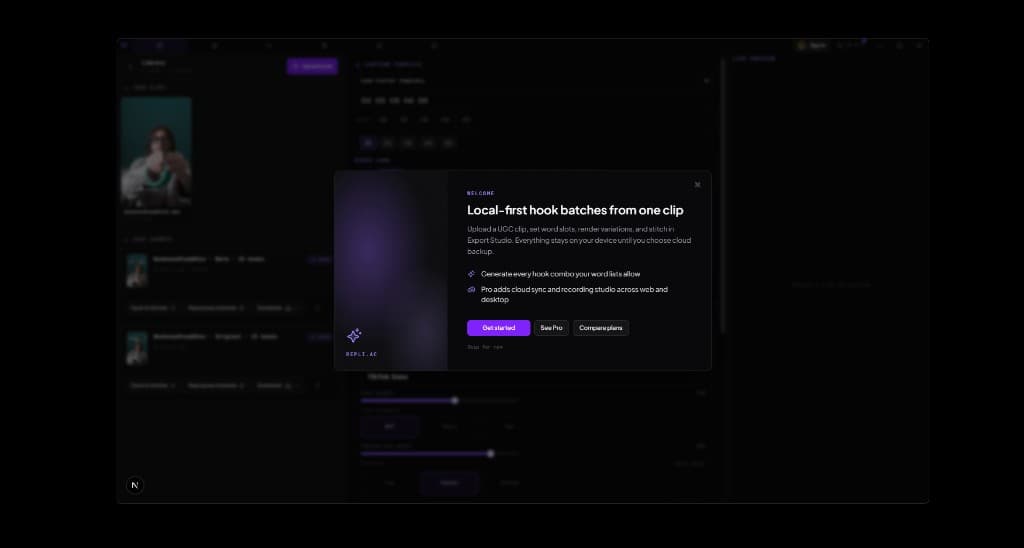
Upload a clip you already filmed. Change the words on screen. Get many unique videos from the same footage.
02
Finish the full video
Add your main clip and ending. Preview each complete post before you ship it.
03
Post and scale
Schedule finished videos via Buffer, polish in the timeline, or record new takes on desktop. Pro adds cloud backup, sync, and extra posting usage.
Windows desktop app
The same repurposing workflow, native on your machine
Finish videos, schedule posts, and record new takes without browser tab limits. Free download from GitHub Releases.
Browse paid UGC briefs on MediaMaxxing.Free Windows desktop app with full local editing. Pro adds cloud backup, sync, and extra posting usage. Browse paid UGC briefs on MediaMaxxing.
Windows desktop
Download the native Windows app for free. Local storage, repurposing, stitch, timeline, and recording included. Pro adds cloud backup, sync, and extra posting usage when you want them.
repli.ac is an indie Electron app. The installer is not signed with a Microsoft-trusted certificate yet, so browsers and SmartScreen sometimes show a virus or unsafe file warning. The file comes from our public GitHub release and is the same build we ship ourselves.
If you see a warning, choose to keep the file or run anyway. We are working on code signing for a quieter install experience.
v0.7.20 ·
Pricing
Plans for every stage
Local hooks, stitch, timeline, recording, desktop, export, batch up to 50, and themes are free. Schedule posts when signed in: connect Buffer and add a Personal Key. Pro adds 1 GB cloud backup, sync, and extra posting usage. Cancel anytime.
Free
No account required
$0forever
Unlimited local hooks, stitch, timeline, record, and export
Batch export up to 50 variants per run
Recording studio and Windows desktop stay free
Appearance themes (dark, light, and accents) for everyone
Browse premade outros without signing in
Schedule posts when signed in (Buffer + Personal Key)
Cloud hooks in stitcher and cloud recordings in library
Extra Buffer posting usage when your own allowance runs out
Cancel anytime from Settings
Premium Lifetime
Pay once, keep Pro forever
$198one-time
All Pro features, no renewal
Everything in Pro
Same 1 GB cloud backup, library sync, and extra posting usage. Compare all features below.
Try Pro free for 7 days before you pay.
Opt into failure reports once and get 7 days of Pro with 1 GB cloud backup and library sync. You choose when to send diagnostics, and your videos stay on your device.